

Stained Glass Patterns PDF & SVG Download: Complete FAQ Guide
Answers to every question — from your first download to selling finished pieces
Find quick answers to the most common questions about stained glass patterns download — PDF, SVG & PNG formats, printing settings, account access, Cricut compatibility, and licensing. Browse by topic or jump directly to any section below.
Downloading Your Pattern Files
How do I access / download my files after purchase?
What file formats are included in the download?
1. All files from Cloud ☁ — all files in one ZIP from Google Drive
2. [Pattern name] PDF
3. [Pattern name] PNG
Note: SVG is only available via the first (cloud) link. On Apple devices it may not download due to iOS security policy.
Which file format should I choose?
SVG — for Cricut / Silhouette plotters or editing in a vector editor
PNG — for on-screen viewing or digital collages
Learn more in the Pattern File Formats: PDF & SVG section below.
Can I download the pattern on my phone or tablet?
How many times can I print the pattern?
Troubleshooting & Support
My download link is not working. What should I do?
1. Log into your account and download from My Account → Orders.
2. Contact support with the email used at checkout or your order number. Contact Support →
I didn't receive my pattern(s) — what should I do?
Your Account
Can I make a purchase as a guest?
What are the benefits of an account vs. guest checkout?
2. Instant access to any purchased pattern — no inbox searching.
3. Wishlist activated — save patterns you like for later.
4. Full purchase history so you never accidentally buy the same pattern twice.
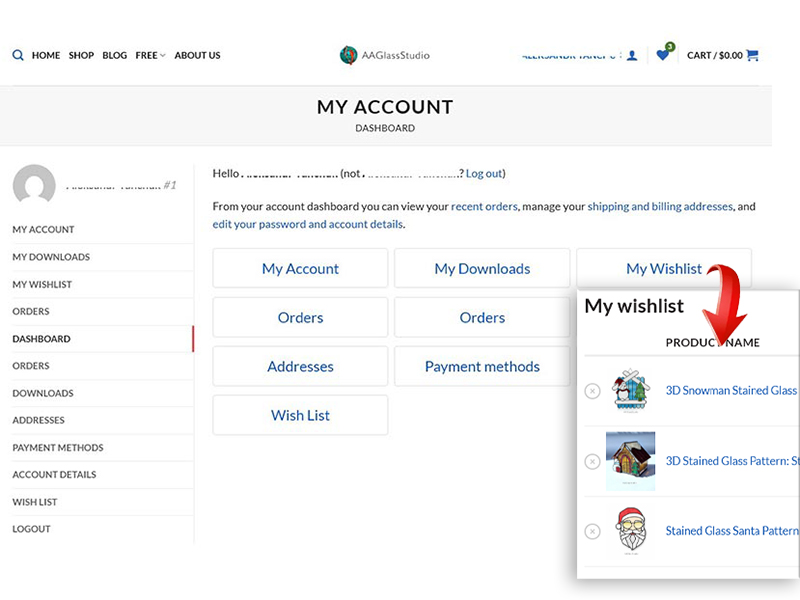
Important: verifying your new account
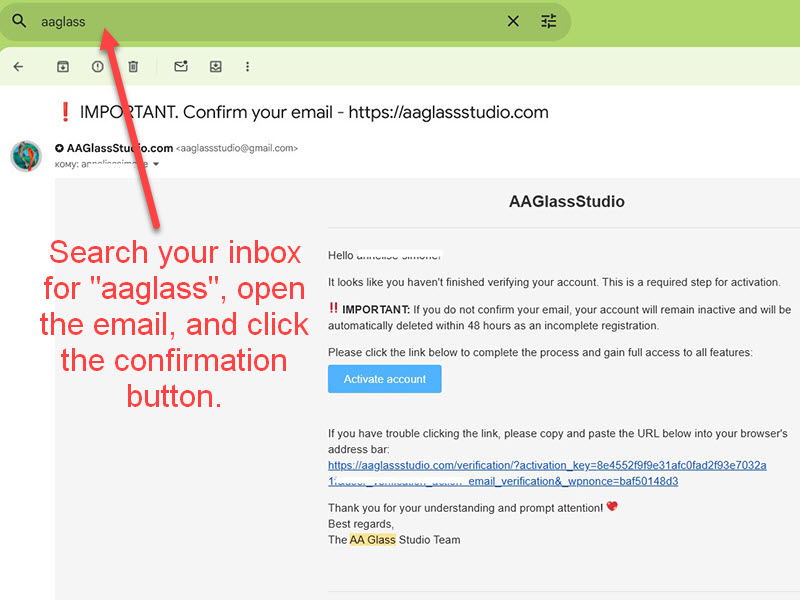
I can't log into my account — what should I do?
Just registered but can't log in — you likely haven't verified your account. Search your inbox for "aaglass", open the email, and click the confirmation button.
Refunds & File Sharing
Can I return or get a refund on a digital download?
Can I share the pattern file with a friend?
Printing & Resizing
Can I resize the pattern to a different size?
What paper size should I print on — Letter or A4?
Can I print the pattern at a print shop (Staples, FedEx)?
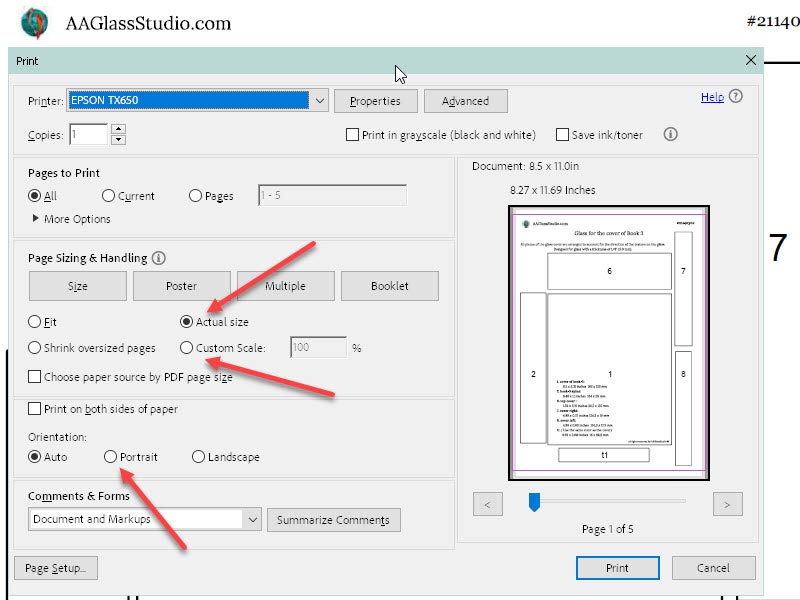
The PDF pattern printed too small — how do I fix it?
Pattern File Formats: PDF & SVG
What is an SVG file and do I need it?
1. You use a plotter (Cricut, Silhouette) to cut vinyl pieces for glass transfer.
2. You want to resize without quality loss using a vector editor (e.g., free Inkscape).
3. You want to edit the pattern — add or remove lines.
I purchased a pattern but can't find the SVG file in the download
Can I use the SVG file with a Cricut or Silhouette machine?
What is a PDF pattern and how do I use it?
Stained Glass Beginners & DIY
What tools and supplies do I need to get started?
What technique should I use — copper foil (Tiffany) or lead came?
How many glass pieces does this pattern have?
What is the finished size of the piece?
How do I transfer the pattern onto glass?
What glass colors should I use? Is a color guide included?
Do I need to cut the pattern pieces apart before tracing?
What type of wire or chain should I use to hang a suncatcher?
License & Commercial Use
Can I sell the finished stained glass pieces I make?
Can I sell my work at craft fairs or on Etsy?
Is the commercial license included or purchased separately?
Can I modify or alter the pattern design?
Can I use this pattern to teach a stained glass class?
Tools & Supplies We Use
Where can I buy this tool?
Tools
Soldering iron
Power: 100W | Tip: 5/16" (8 mm) | Voltage: 220–230V
Temp range: 482–842°F (250–450°C) | No temp control | Made in Germany
We used to work with the Weller Profikit 100, but its price — and the cost of its consumables — is literally 10× higher than StarTec's, with no difference in soldering quality. StarTec was designed specifically for stained glass artists. We've been using it since 2014.
See also: Stained Glass How To Solder: A Complete Guide →
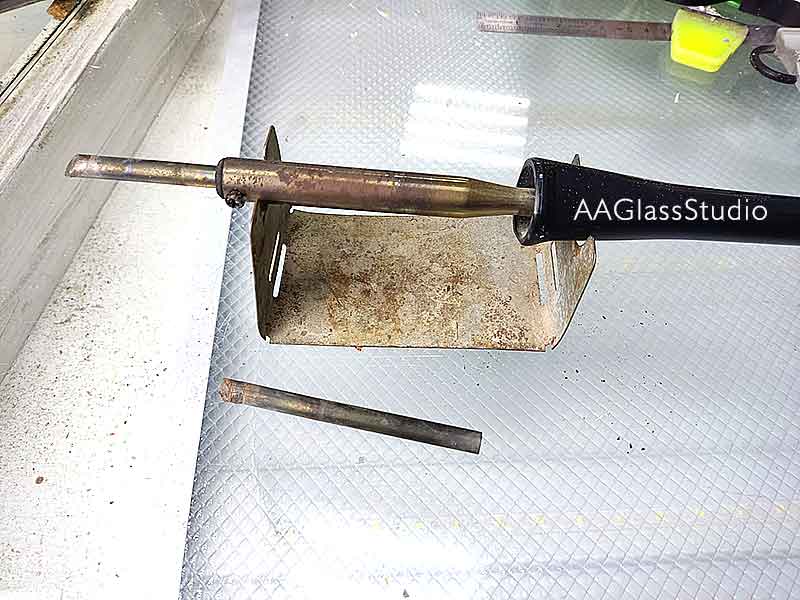
Soldering iron tip (flattened tip)
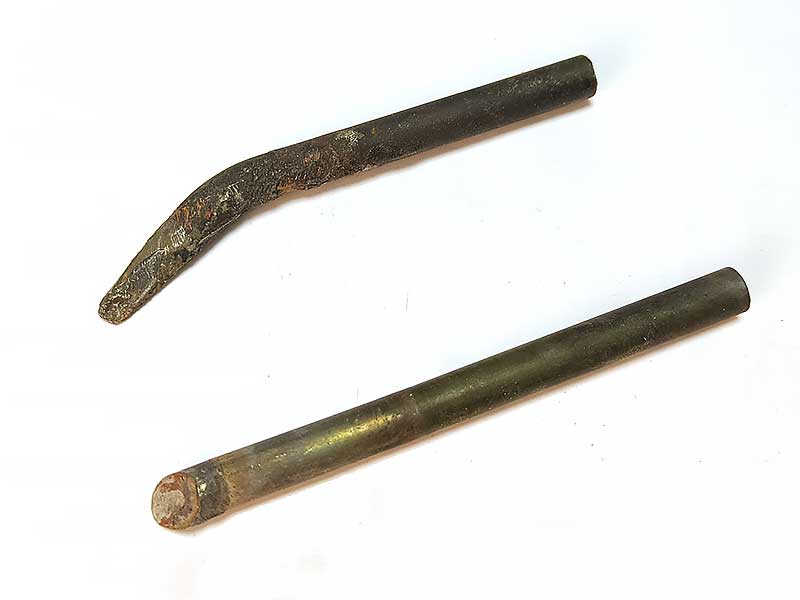
Where can I buy a curved soldering tip?
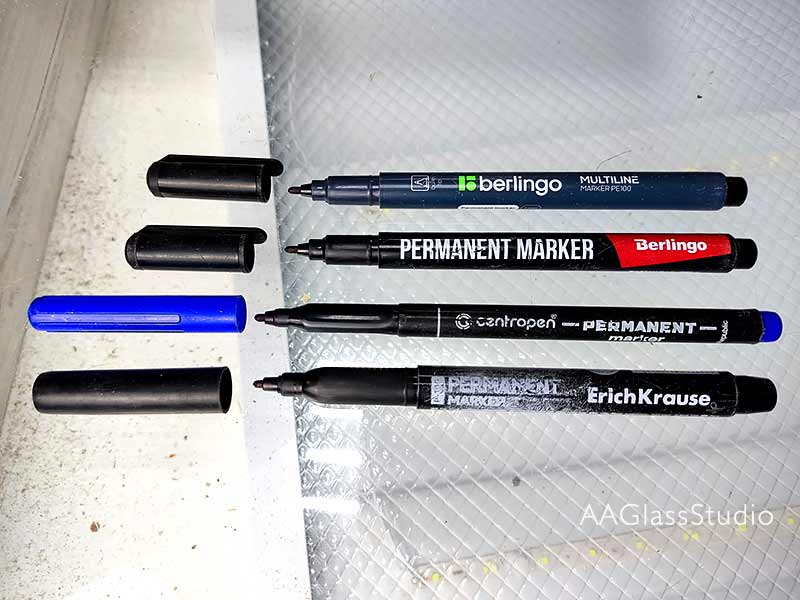
What permanent marker do you use on glass?
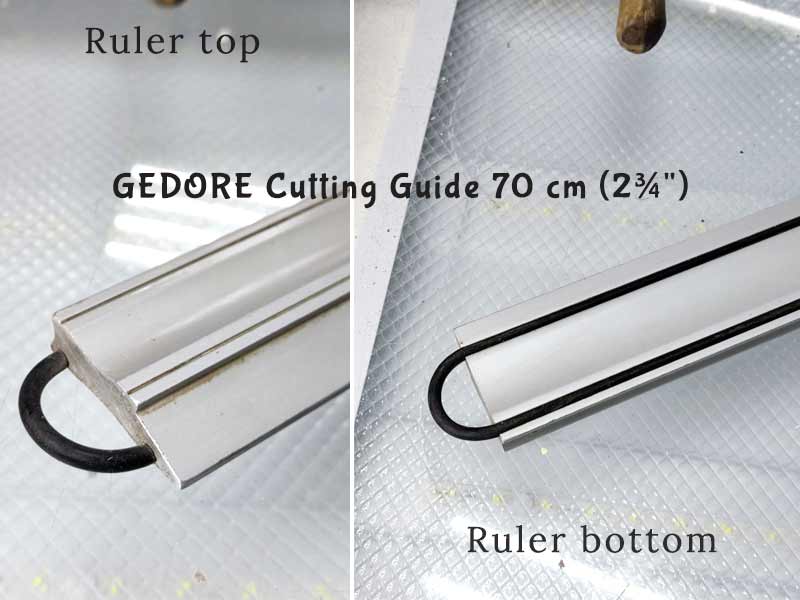
What ruler do you use for cutting glass?
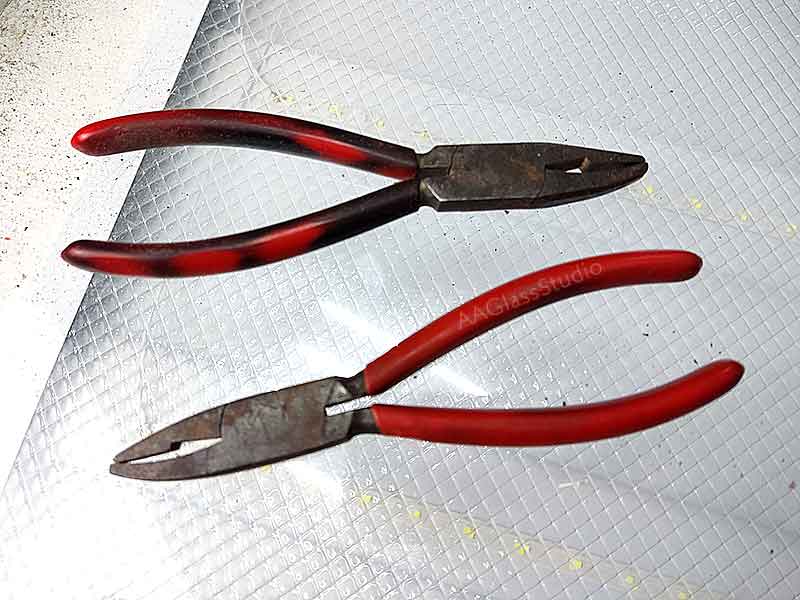
Breaking and grozing pliers
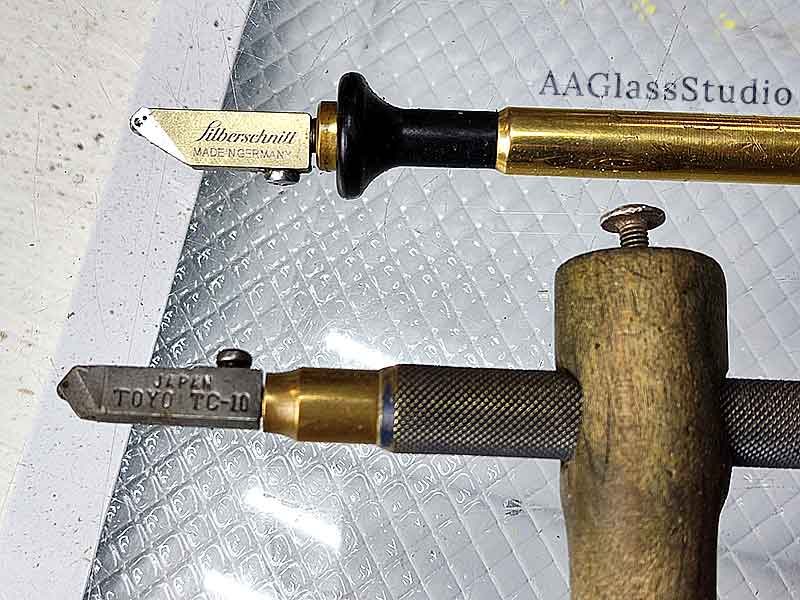
Oil glass cutter
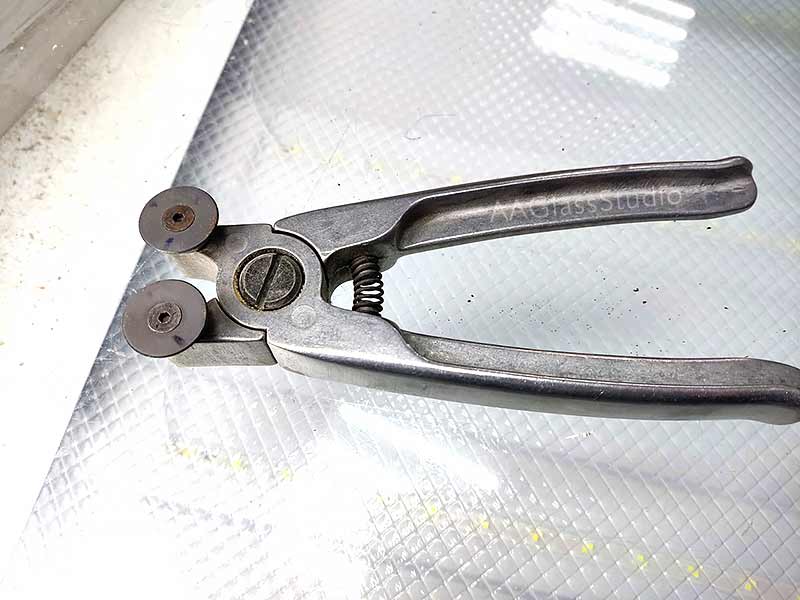
Zag-Zag pliers
Do you use Ring Saws?
Short Video How to do it ...
How I Attached a Stained Glass Butterfly Without a Hinge Point
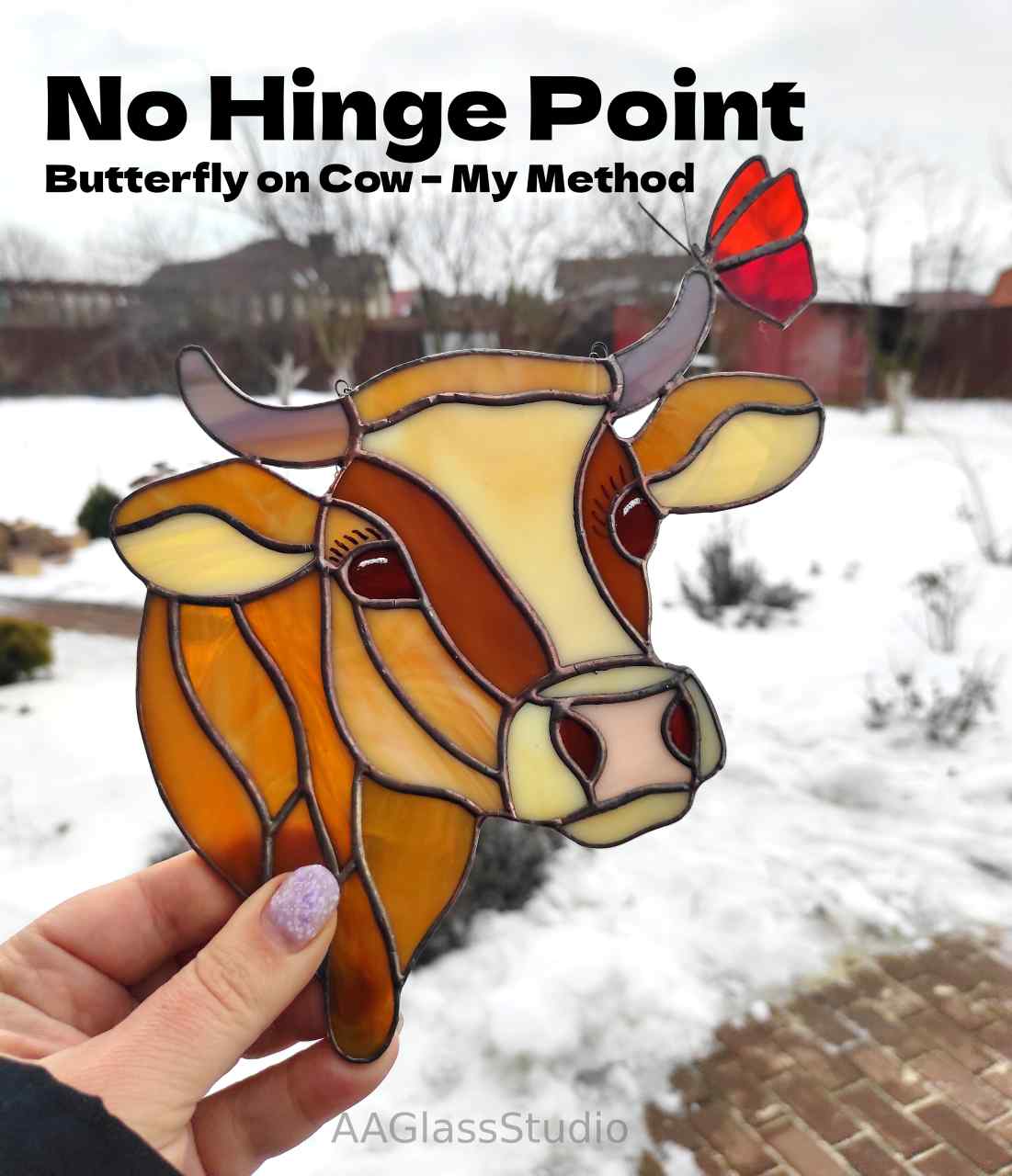
How to beautifully twist wire to decorate a stained glass suncatcher?

Consumables
Glass cutter replacement heads
• Narrow head Silberschnitt (Germany)
• or narrow head TOYO TC 10 (Japan)
Solder
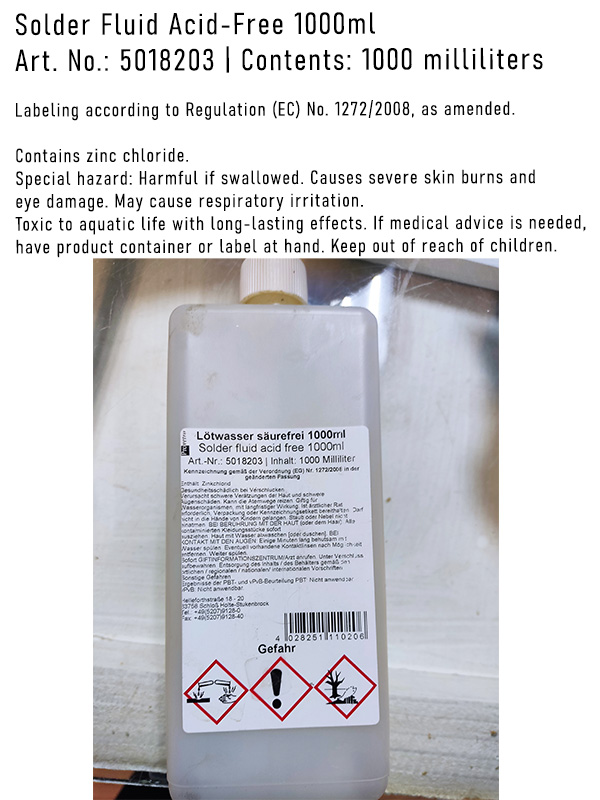
Soldering flux (flux water)
Patina finishing compound (antioxidant)
Used for:
• Protecting seams from oxidation
• Adding shine to the solder lines
• Preserving long-term appearance of the seams
Applied directly onto bare solder or over patina. Non-toxic — does not damage any materials.
Copper foil
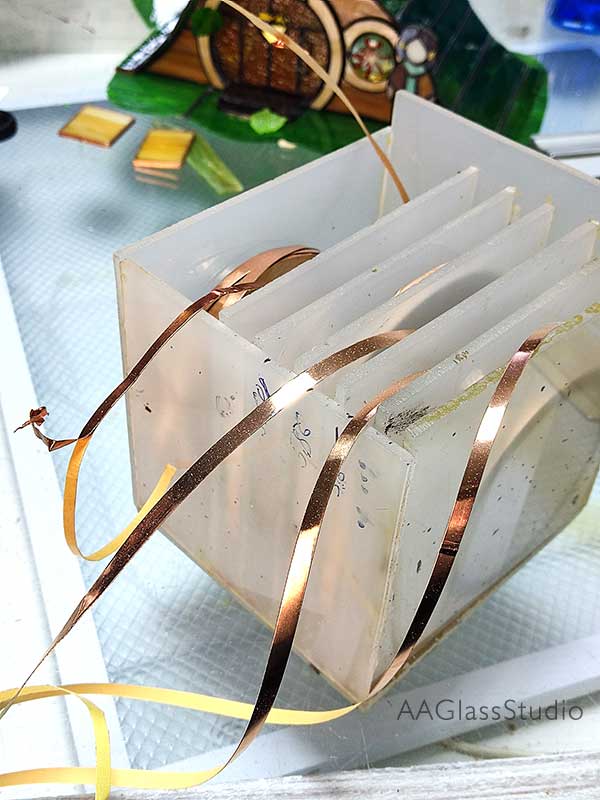
What is re-strip and what is it used for?
Main purposes:
• Adding rigidity: acts as an internal structural rib, preventing warping and eliminating hinge joints.
• Invisible reinforcement: placed on its edge between glass pieces — once filled with solder, completely invisible.
Coming soon: a post on 10 ways to use re-strip.
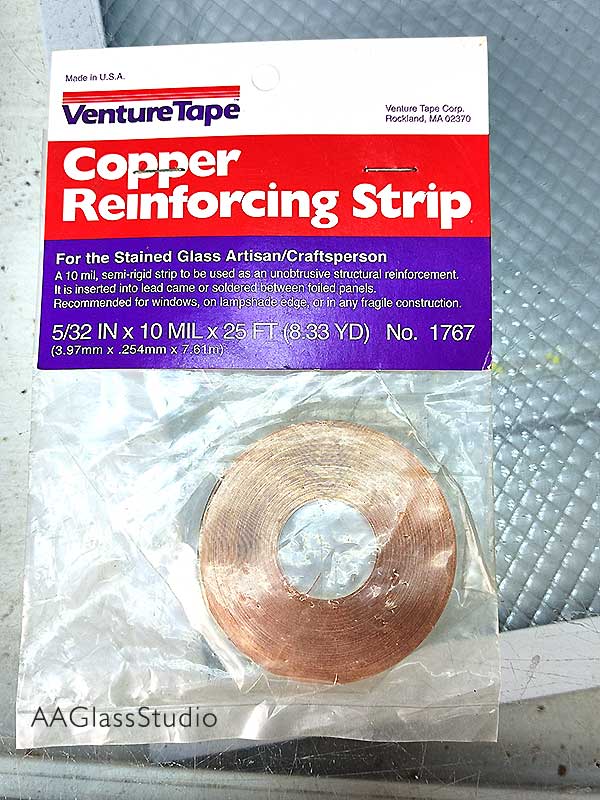
Types of re-strip
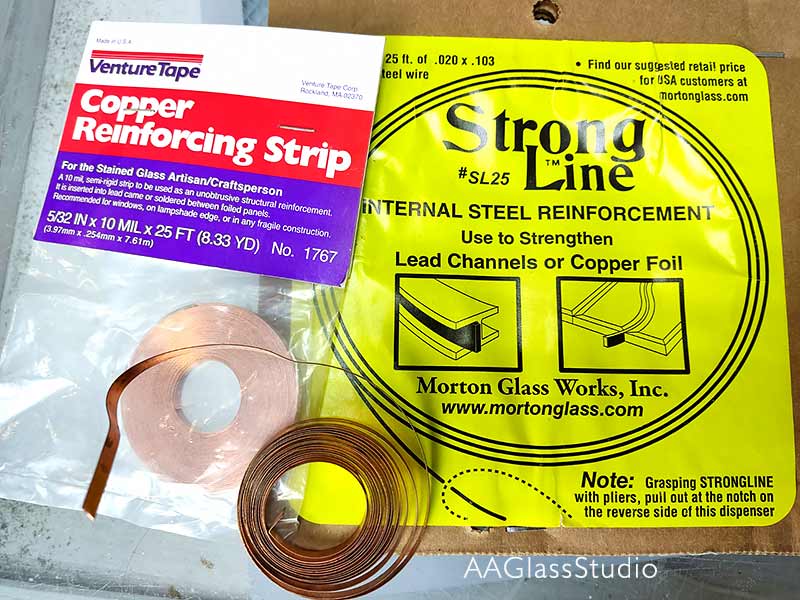
How do you use re-strip?
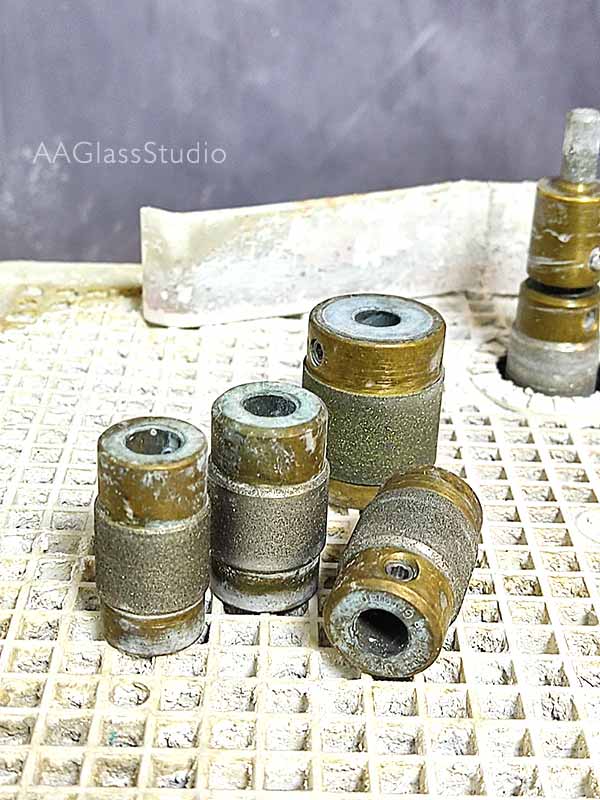
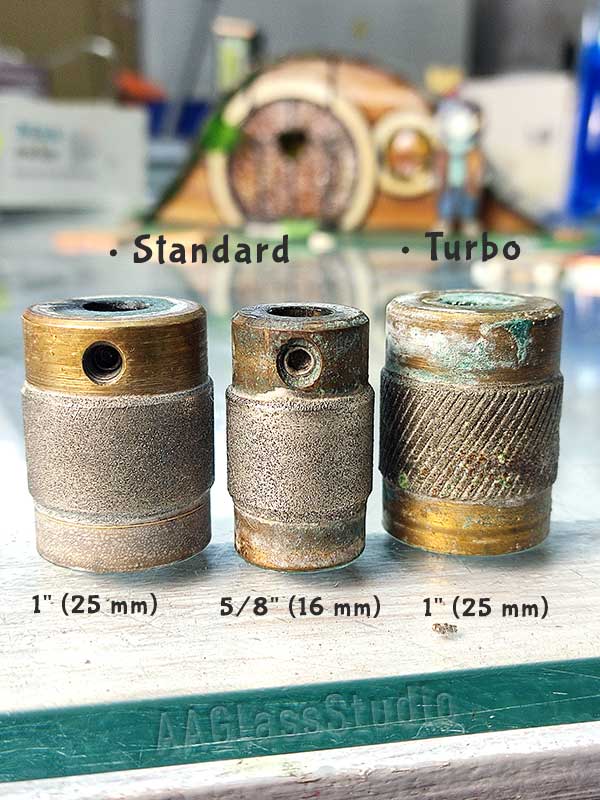
Glass grinder diamond bits and their sizes
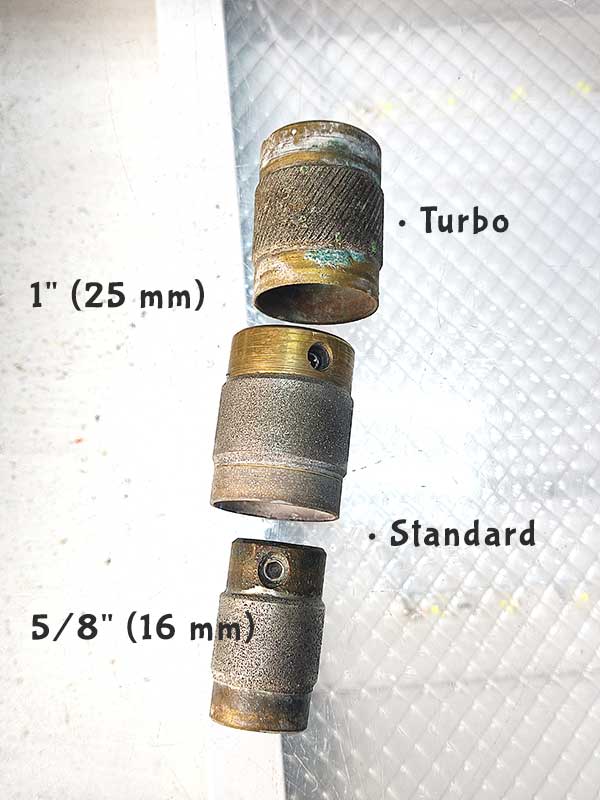
Glass grinder diamond bits and their grit
• Standard — suits 90% of all tasks. Best balance of removal speed and edge quality. (used constantly)
• Coarse / Turbo — fast, aggressive removal of large amounts of glass. (used rarely)
• Fine / Extra Fine — delicate finishing grind; for thin, dichroic, or mirror glass. (used occasionally)
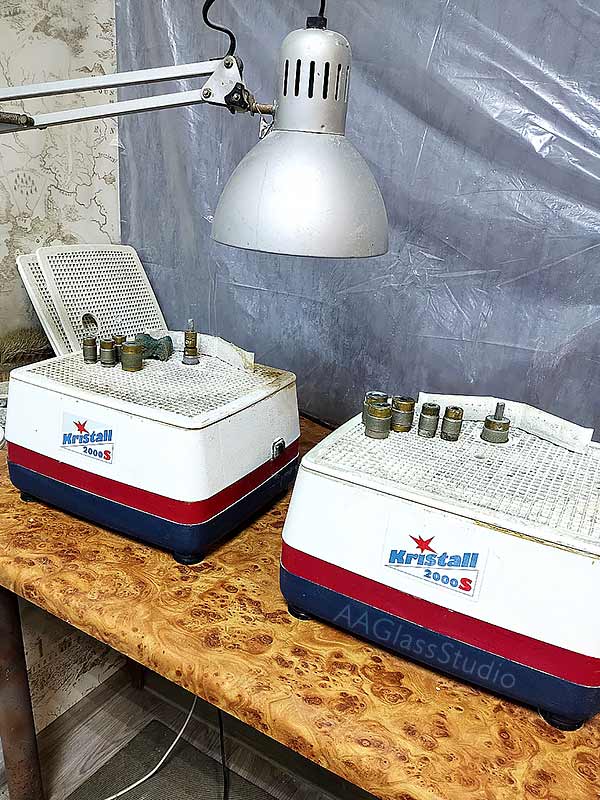
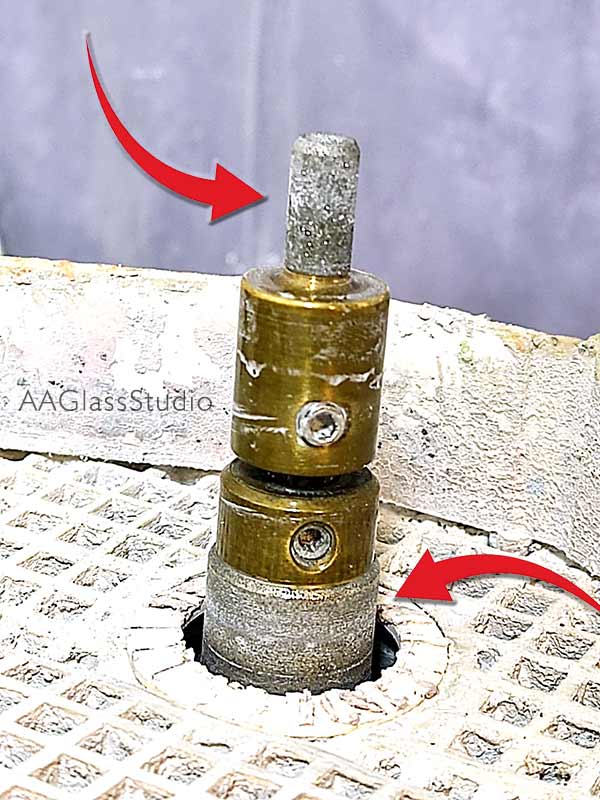
Our glass grinder
• Grinder #1: standard 1" (25 mm) diamond bit
• Grinder #2: 1" Fine + 1/4" Standard — yes, two bits on a single shaft
Two diamond bits on one grinder — how does that work?
Shop-Made Tools & Fixtures
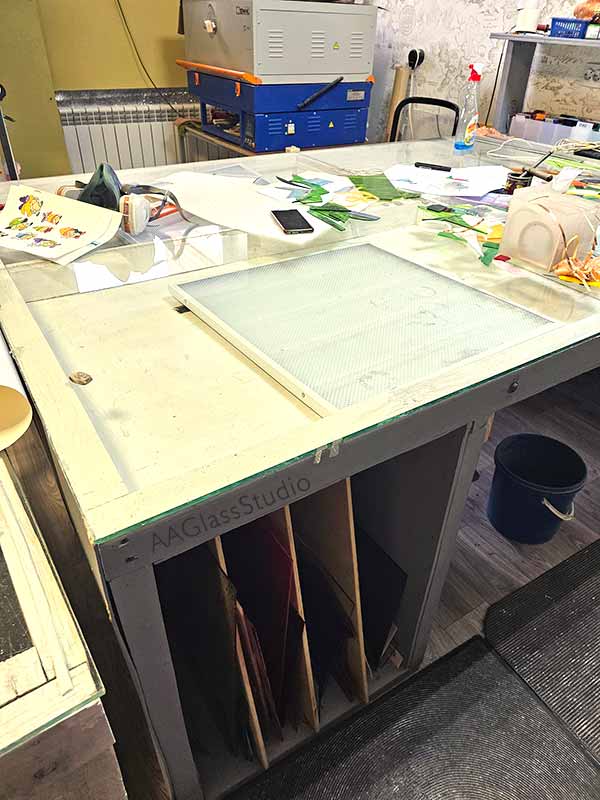
Our light table
🔧 Full details coming soon — we're working on it.
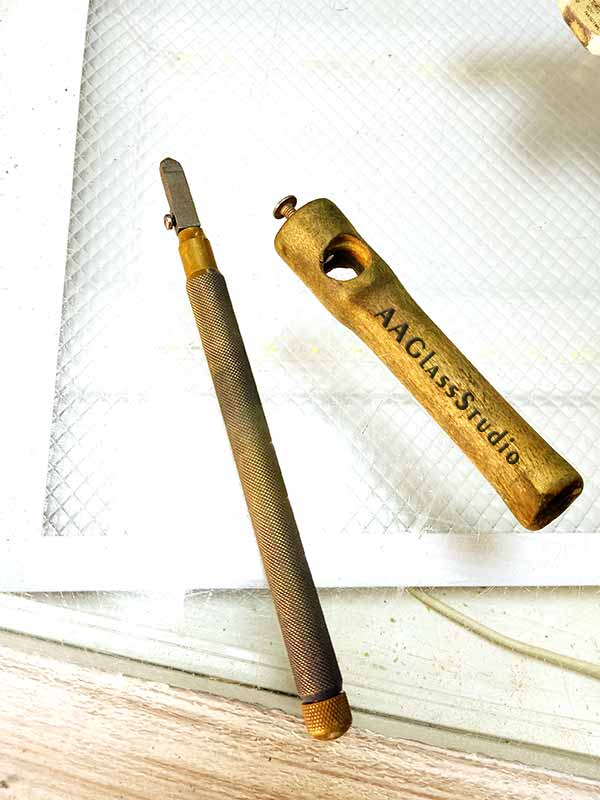
Our custom glass cutter handle
🔧 Full details coming soon — we're working on it.
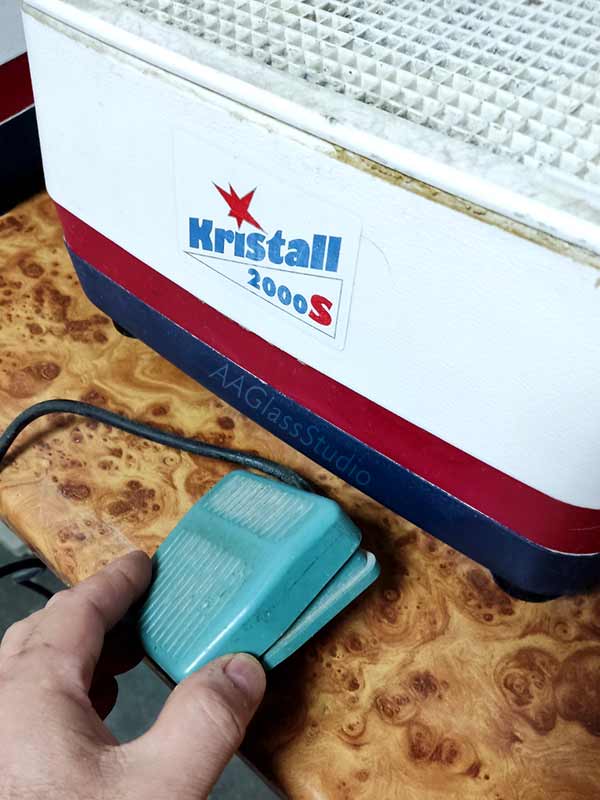
Foot pedal for the glass grinder
🔧 Full details coming soon — we're working on it.
How we make the beak for the stained glass hummingbird
🔧 Full details coming soon — we're working on it.
How we make hanging rings for a suncatcher
How we eliminate hinge joints
🔧 Full details coming soon — we're working on it.
Still Have Questions?
We're happy to help with anything not covered here.
CONTACT SUPPORT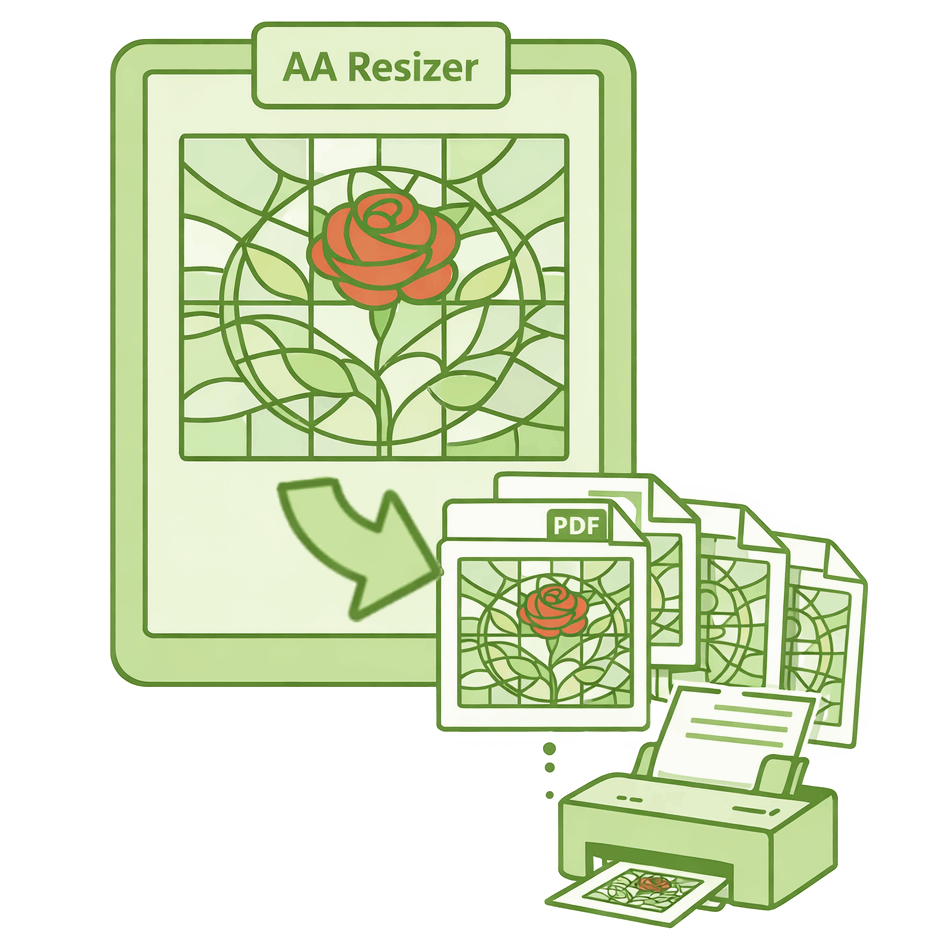
Free Stained Glass Pattern Resizer!
Need a different size? Upload any pattern and instantly get a perfectly scaled multi-page PDF for your home printer.
Automatic 10mm taping margins included. No software or math required.
Try Resizer for Free